
Currawong
A pocket music player with a haptic dial that changes its feel on every screen. Designed, built and given as a gift in 23 days.
Solo build, 2026. Code on GitHub.
Currawong. Keep scrolling to take it apart.
Exploded view of Currawong, showing the dial, display, 2804 brushless motor, dac, usb breakout, as5600 magnetic encoder, battery, raspberry pi zero, max17048 fuel gauge, tmc6300 motor driver, xiao esp32-s3, powerboost 1000c, main pcb.
A pocket music player with a haptic dial. Streams Spotify, plays local FLAC, and outputs to wired headphones through a USB DAC or to Bluetooth headphones. A Raspberry Pi Zero W runs the audio and UI on a 1-bit Sharp memory LCD, and an ESP32-S3 drives a brushless motor as a software-defined dial.
At a glance
| Audio | Spotify Connect and a local FLAC/MP3 library, out through a Moondrop Dawn Pro 2 USB DAC or Bluetooth, with a five-band equaliser on the wired output |
| Screen | Sharp 2.7” memory LCD, 1-bit, 240 × 400 portrait |
| Input | A haptic dial (2804 brushless motor and AS5600 encoder) and five buttons |
| Brains | Raspberry Pi Zero W for audio and the UI, XIAO ESP32-S3 for the dial |
| Battery | 5000 mAh LiPo, charged over USB-C through a PowerBoost 1000C. Should give 8 to 12 hours of playback (estimated) |
| Size | 76 × 158 × 37 mm, including the handle |
| Build time | 23 days from the first parts order to handover, alongside full-time work |
| Source | github.com/J-Jappa/currawong |
How it sounds
The sound coming out of Currawong is incredible. Paired with my old IEMs, the FLAC album I loaded on is completely encompassing and all the more impactful. The separation is clear, the sound is big, and the balance across frequencies suits my tastes. If yours differ, that’s what the EQ is for! Bluetooth works great too after some tinkering, but once you’ve heard it wired, it’s hard to compare.
Why
Currawong started, and remains, a gift. From ordering the first parts to handing it over I had 23 days, so time pressure was high, especially fitting it around work. I listen to a lot of music, and it brings me a lot of joy. One thing that feels increasingly problematic is the lack of intentionality in what we listen to and how we support artists. On top of this, I’m increasingly a fan of the idea that something doesn’t have to do everything, and that the friction between things leads to more intentionality. Hence the desire to build a dedicated music player, and a high-quality one at that.
That being said, as Currawong is a gift, I did want versatility in this approach. The end goal is a device that can be used day to day with limited compromises, and one that is built with care and attention. Hopefully this means it can bring a little bit of joy every day. Because of that, Currawong supports both Spotify and offline FLAC/MP3 playback, with the weighting on offline functionality. It also supports wired and Bluetooth audio devices, again with more weight on the wired approach.
Why Currawong
So why “Currawong”? Well, it’s an incredibly smart, black and white Australian songbird. Those themes carry through and inspired all of Currawong: the haptic dial, the black and white case and display, and in particular the smooth, melodic sound. Also, don’t forget that currawongs are big birds, and this is a big device (unfortunately). So if there’s ever a v2, I’ll be sure to pick a smaller bird to name it after.
23 days
- Parts: work from 3 Oct to 6 Oct
- 3 Oct: First parts ordered
- 9 Oct: Dial parts ordered
- Breadboard: work from 7 Oct to 13 Oct
- PCB design: work from 10 Oct to 11 Oct
- Board: work from 12 Oct to 16 Oct
- 12 Oct: Gerbers ordered
- 16 Oct: Boards arrive
- 19 Oct: First assembly
- Pi software and dial firmware: work from 7 Oct to 25 Oct
- Case CAD: work from 18 Oct to 24 Oct
- Animations: work from 20 Oct to 25 Oct
- 26 Oct: Handed over
The dial
I saw a video a while ago on the open-source SmartKnob project and thought it was an incredibly cool and satisfying input method. Later I saw it again in two of Teenage Engineering’s products, in particular the TP-7. For me this felt like the perfect input method for Currawong. It pulls inspiration from the iconic iPod click wheel, which carries an incredible amount of nostalgia and to me always felt a little like magic. The haptic dial takes it one step further by being physically responsive: something that feels unapologetically tactile. This is why it was a clear winner over a rotary encoder. While waiting for the haptic dial parts I used a rotary encoder as a placeholder, but it just wasn’t right. It only truly felt like magic once the haptic dial was set up.
The feel changes with the screen. A menu gets one detent per item with walls at each end, scrubbing gets 48 light clicks per turn with walls at 0:00 and the end of the song, and the equaliser clicks once per dB. Flick through a long list and the clicks fade so it coasts, then come back as it slows. Each new letter in Artists and Albums clicks harder, and in Up Next the playing track pulls the dial in like a magnet.
The motor driver has no current sensing or fault pin wired up, so the firmware looks after safety itself. It caps the motor at 2 V, holds an end stop at full strength for half a second before easing it to a third, estimates the heat in the windings and backs off when it averages over 1 W, and switches the motor off once the dial has rested for three seconds.
There’s no video of it yet, so here’s the next best thing. This runs the same torque maths as the dial firmware, with the motor and your hand simulated.
System
Currawong is made of two small computers: one for the music and the screen, and a smaller microcontroller just for the haptic dial. Splitting it this way keeps it responsive and leaves room for all its features.
The processors were split after testing the Pi with a rotary encoder. With a single core, the Pi already struggles with responsiveness across the device. So to avoid any further impact, the ESP32 takes on polling the magnetic encoder and driving the motor itself. In the end this worked exceptionally well.
The two talk over a 115200 baud UART using checksummed, NMEA-style lines. The Pi only sends high-level commands (CFG,list,12,3 is a 12-item menu, sitting on item 3) and gets positions back, so the FOC loop never waits on Linux. The Pi also can’t reach the ESP32’s boot pins, so firmware updates go over the same link: the image is sent in acknowledged chunks to the spare OTA partition, and the ESP32 only switches over once the MD5 matches. Once the dial is in the case, it never needs to come out to be reflashed.
| Part | Role |
|---|---|
| Raspberry Pi Zero W | Audio (go-librespot, MPD), UI, display, buttons |
| Seeed XIAO ESP32-S3 | Haptic dial: FOC loop, encoder, UART link to the Pi |
| SparkFun TMC6300 breakout | 3-phase motor driver |
| DFRobot 2804 motor with AS5600 | Dial motor and angle sensor |
| Adafruit Sharp 2.7” memory LCD | 400 × 240, 1-bit, mounted portrait |
| Moondrop Dawn Pro 2 | USB DAC and headphone amp |
| Adafruit MAX17048 | Battery fuel gauge |
| Adafruit PowerBoost 1000C | Charger and 5 V boost |
| Custom PCB (Currawong v1.0) | Carrier for all of the above, designed in KiCad |
Pin maps, the power budget, display protocol and firmware limits are in docs/hardware.md. The Pi to dial protocol is in docs/dial-protocol.md.
Interface
- 240 × 400 portrait UI on a 1-bit Sharp memory LCD, rendered event-driven: a screen is only redrawn when something on it changes, and only the changed panel lines are sent
- A simple cover, track and progress screen for Spotify. Local files add spectrum strips down the sides, and an oscilloscope page in FULL visuals
- An animated pixel currawong that sings, hops, sleeps and idles depending on playback state, plus a boot animation
- On-screen keyboard for joining Wi-Fi, Bluetooth pairing, sleep and auto-off timers, and settings for dial feel, button click strength and screen rotation
Living with a Pi Zero W
Unfortunately, the original intention of using a Pi Zero 2 W had to be abandoned due to a complete shortage. Everywhere I looked there were none, or a long, long wait. I even tried alternatives like the Orange Pi, but the prices here were astronomical. In the end I was stuck with a Raspberry Pi Zero W, which meant some things had to be cut in the name of performance. The original idea had spectrum visualisers lining the sides of Now Playing and a separate one for a full-screen mode. The goal was to push the Sharp display to its limit. Sadly this had to be mostly shelved. It still exists in the code under a UI setting but hasn’t been updated since the first couple of prototypes. Maybe next time.
To keep everything else smooth on one core, go-librespot (about 35% CPU streaming at 320 kbps) runs at a higher priority than the UI, and only one player holds the DAC at a time. The UI only redraws when something on screen changes, and only sends the changed lines to the display, which takes about 50 ms for a full frame.
The currawong
One of the key additions in achieving the goal of a little more joy was the animations. Made by hand in Piskel, they were incredibly fun to make and I think paid dividends. I’m by no means a talented visual artist, but I am proud of this little singing, dancing and sleeping currawong.
Under the hood it’s a sheet of 32 × 32 sprites driven by a JSON spec of sequences, ticking at 8 fps off the clock so a late frame never makes it drift. Each frame only touches the columns the bird is in, so the panel gets a small partial update rather than a full redraw.
The board
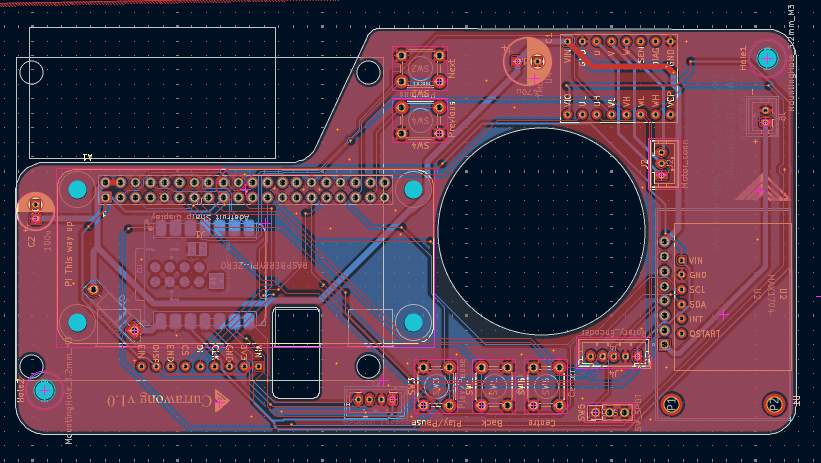
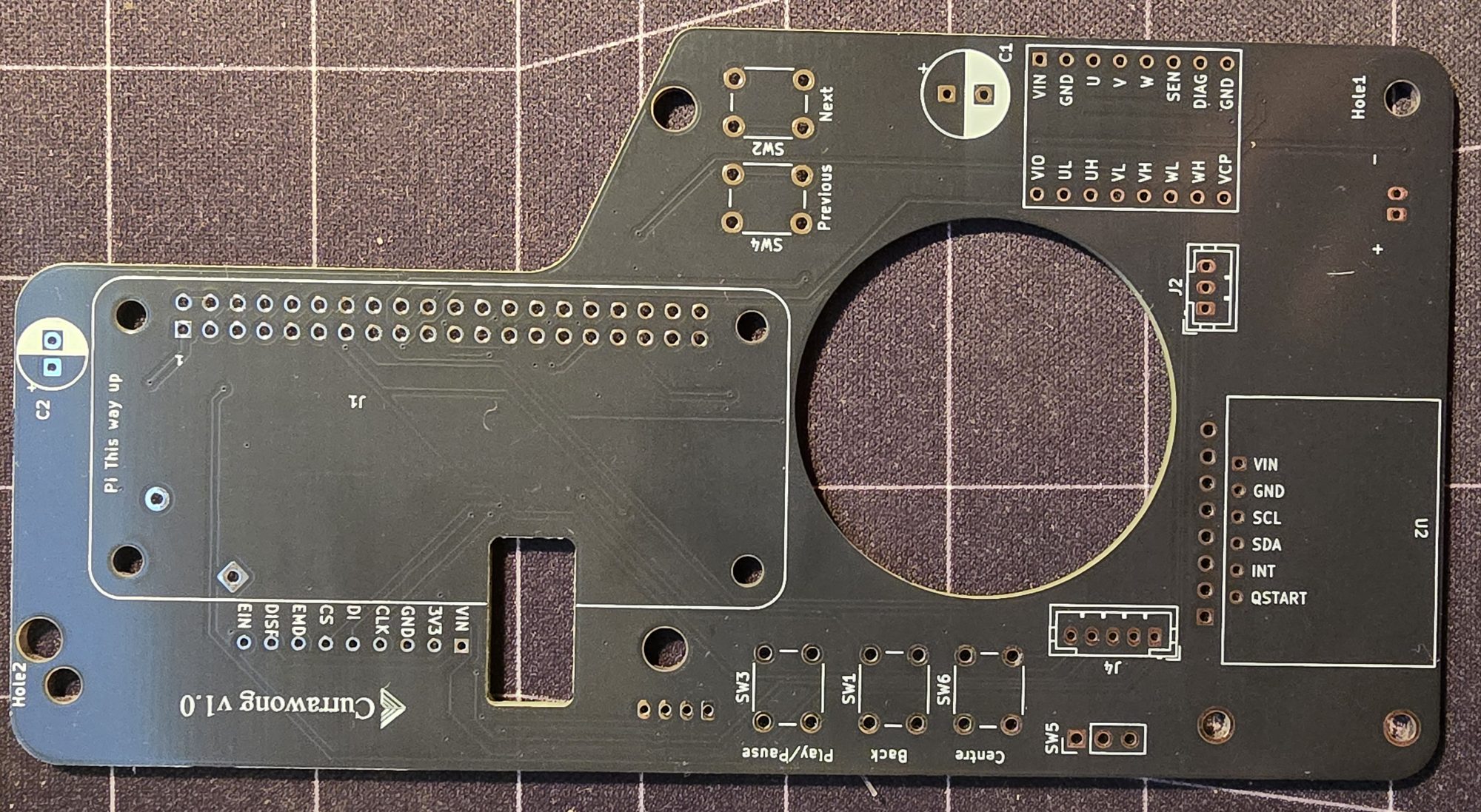
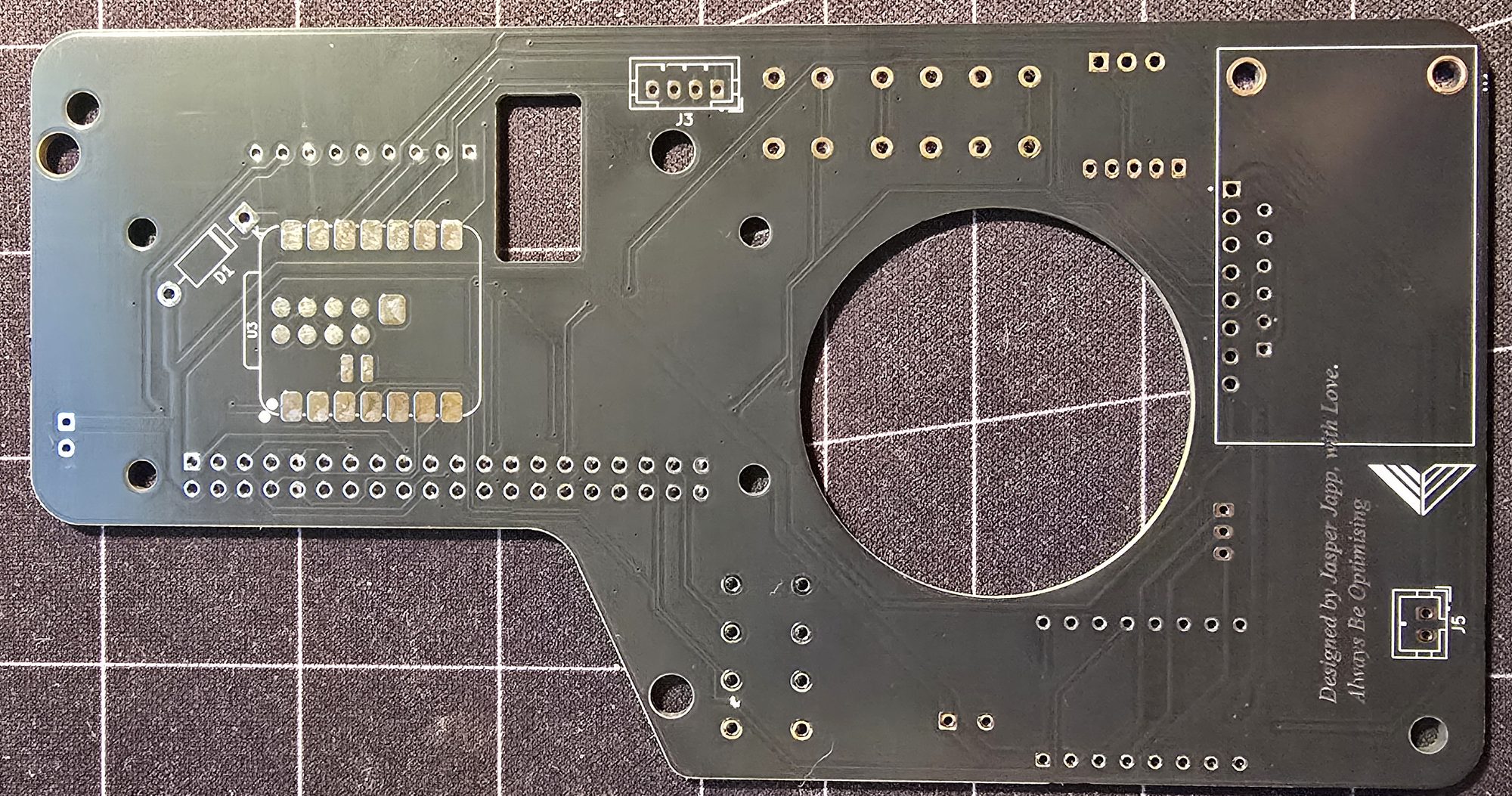
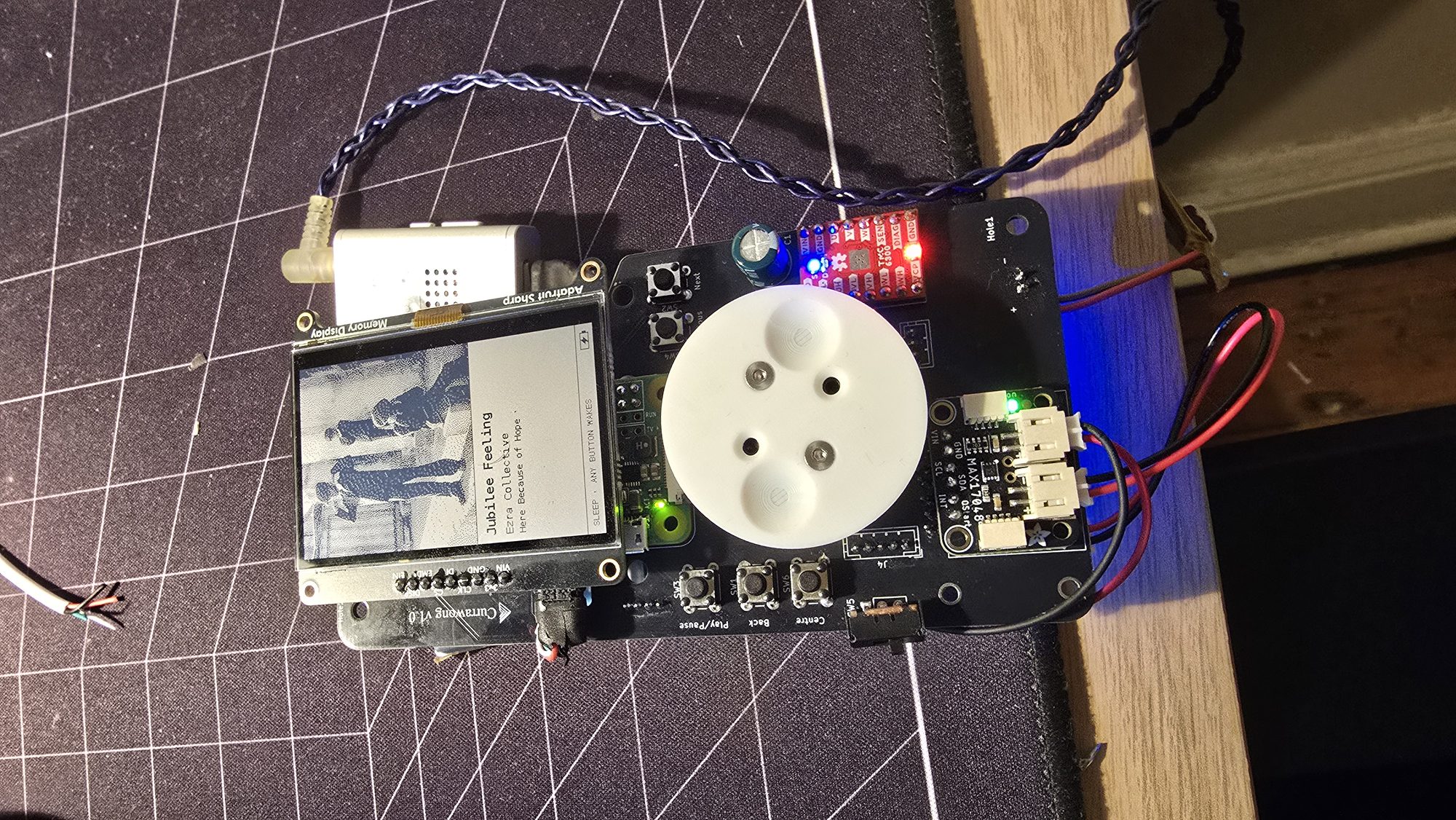
This is my second PCB. The first was a small smart fan controller for the solder and 3D printer exhaust system I made (although I’ve been working on a much more complicated board on and off for a few months, and I hope to share that soon!). This board is also simple, but it still taught me a lot, mainly in layout, where packing everything in tight while keeping clearances was paramount. It also carried extra risk, since realistically I only had one shot to get it right. It all worked out in the end, and I’m incredibly happy with the result.
What went wrong
One of the first “disaster” moments was when the first Pi was fried (well, probably just the Wi-Fi) by a stupid mistake of mine: swapping 5 V and 3.3 V. This resulted in me ordering another, before eventually figuring out it was just the SD card that had corrupted. So I was left with two working Pis, which is better than one. I would eventually need it when I did actually fry one.
In a particularly painful mistake, after soldering all the components onto the PCB, I was testing a custom micro-USB to USB-C cable I’d made for the DAC when it all went wrong. The Pi started heating up like crazy and I quickly unplugged it. Following a very long desoldering process, with more destruction than I’d care to admit, I eventually got back up and running with the original Pi.
Another last-minute change was battery size. Originally I had a 2200 mAh LiPo and assumed I’d get good battery life. But after some testing it was clear it wasn’t going to be enough. I debated between a 5000 mAh LiPo and a 21700 Li-ion cell, and eventually decided on the LiPo to keep it similar. This came with its own challenges, mainly packaging, and as a result Currawong grew. This led me down the path of “how do I make something big feel small?”. This is easier said than done.
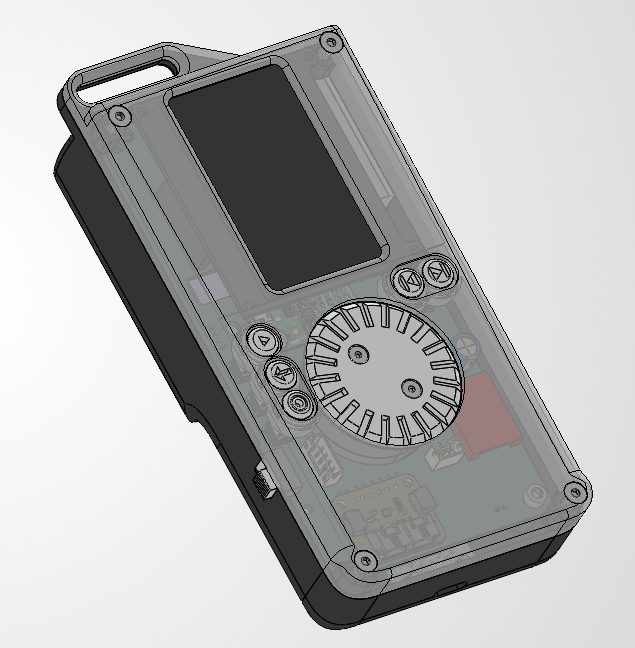
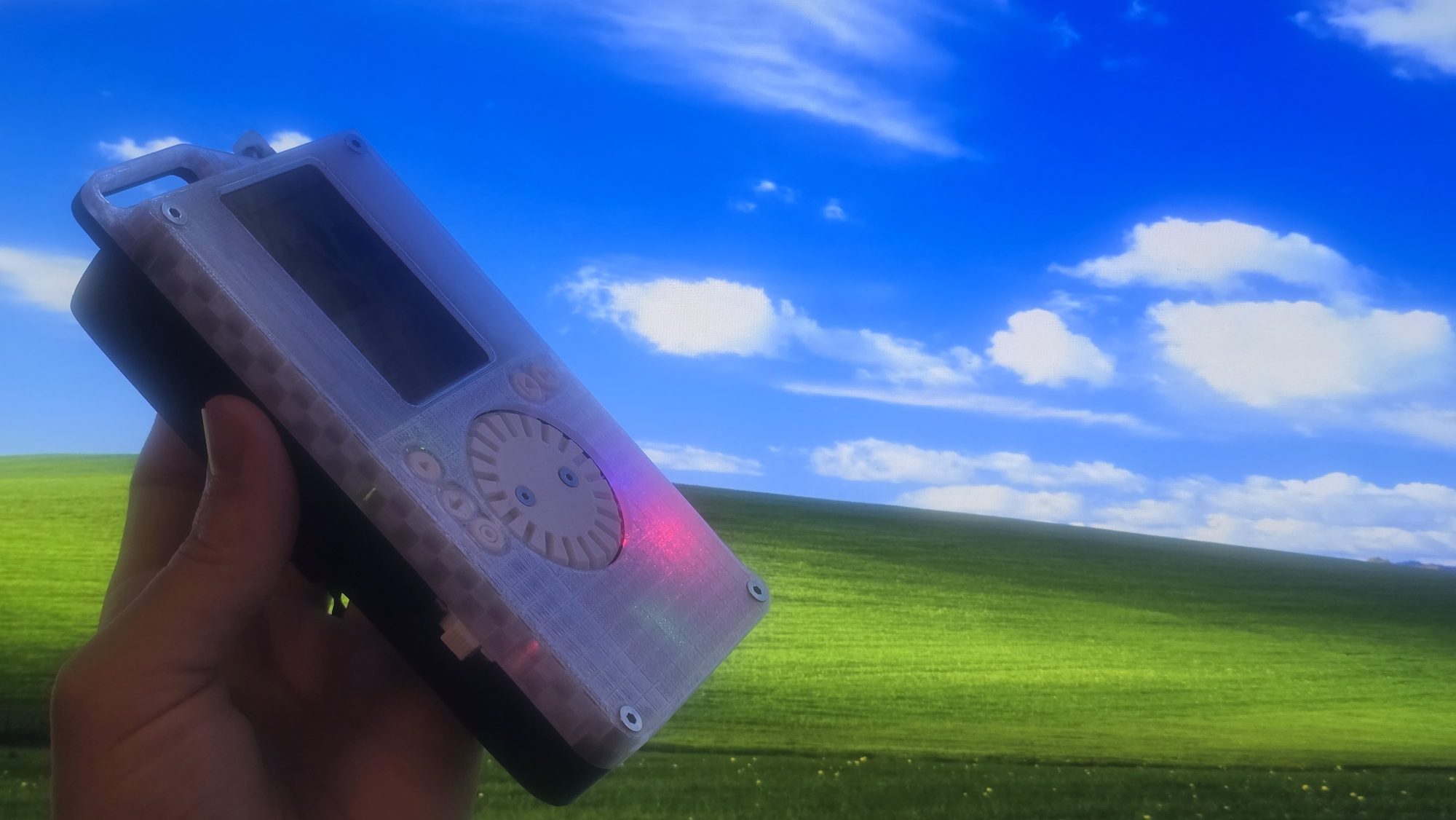
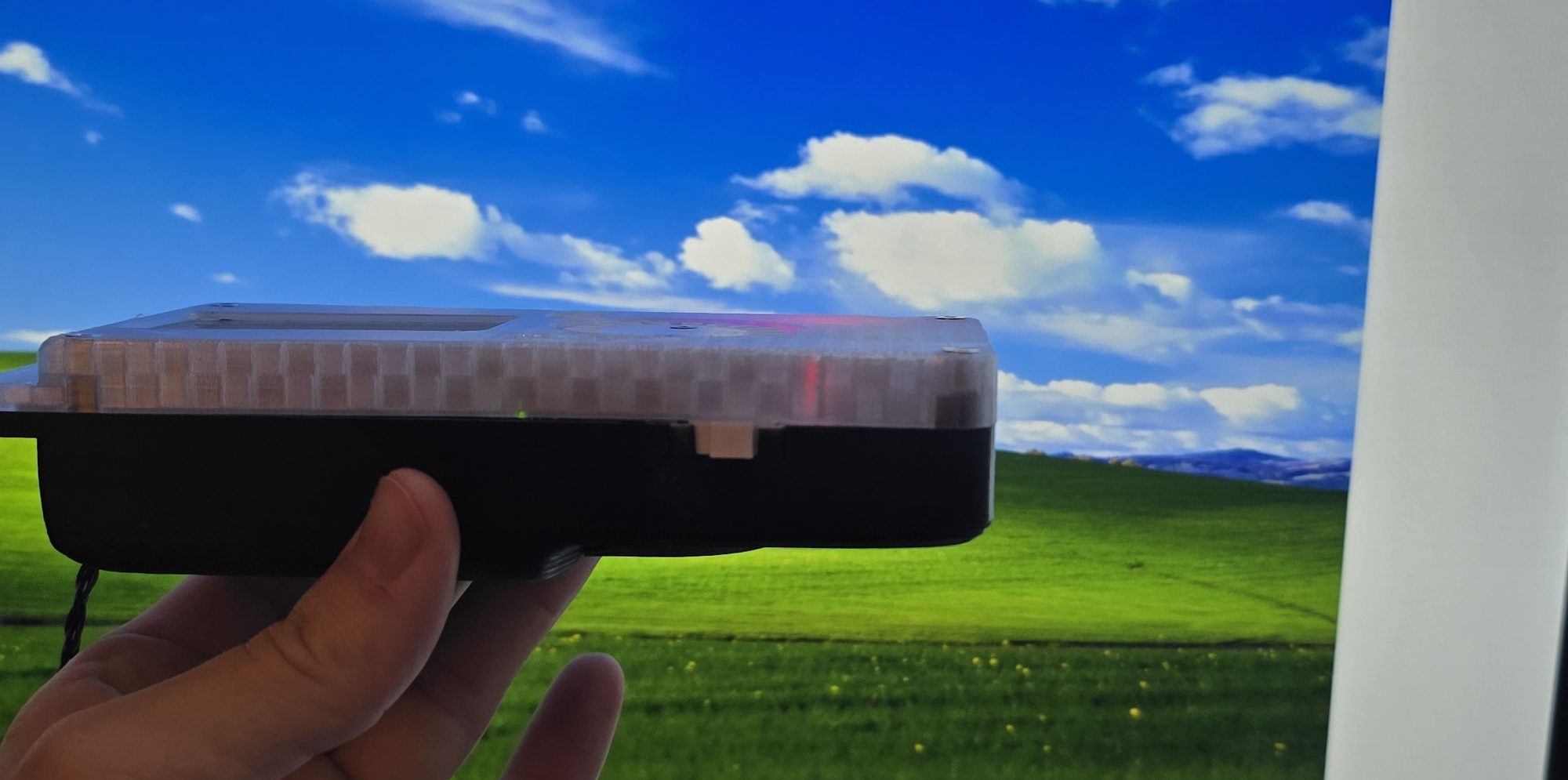
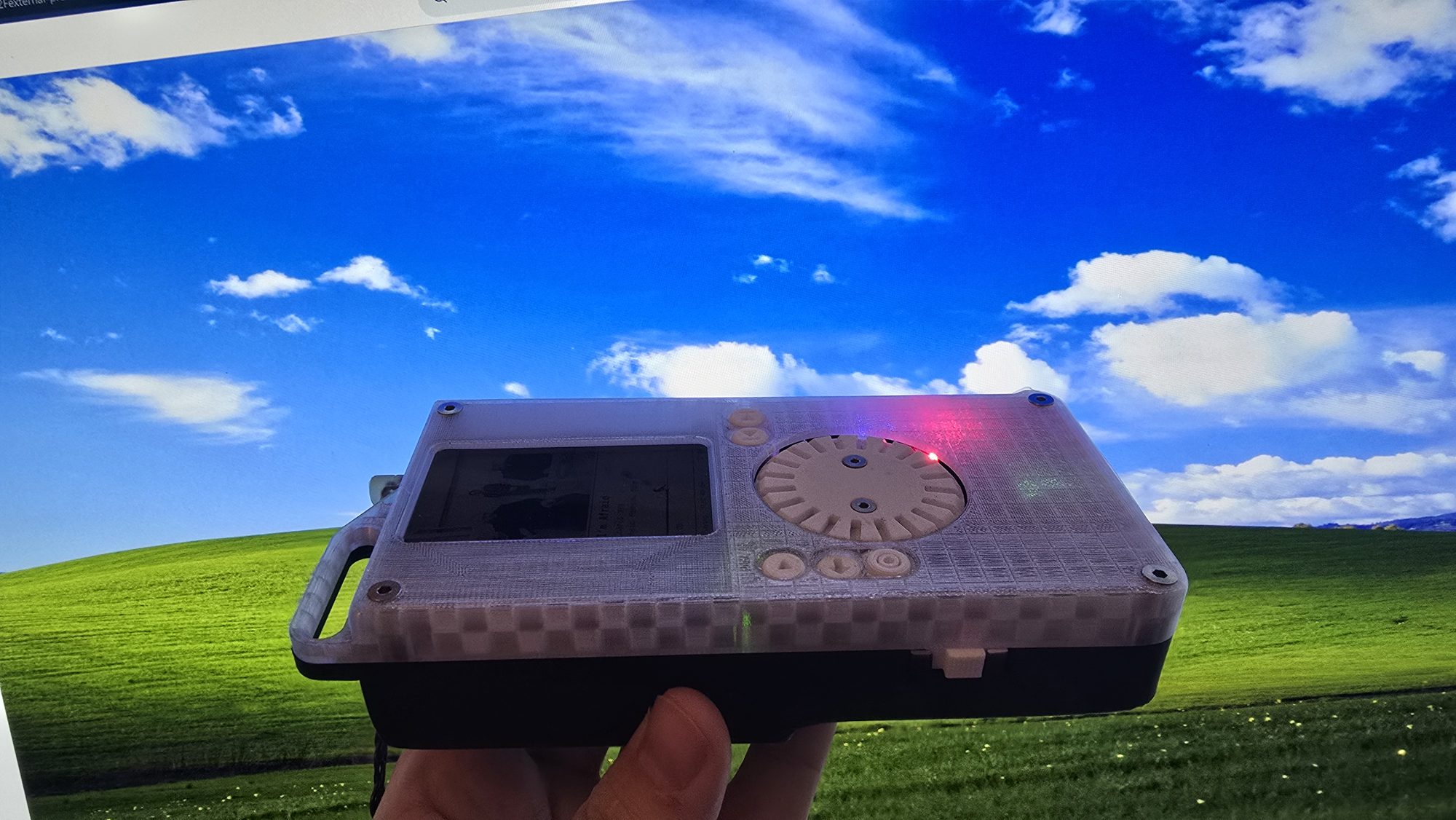
One version had cut-ins on the clear front, which turned into a blobby mess that would have been difficult to print. In the end I shrank the black back case and expanded the clear front. That lets more light through, and the extra empty space makes it feel smaller without actually being smaller. It’s still big, but it’s a lot more comfortable.
The clear PETG front took a real bit of tuning before it started looking nice, but in the end I’m happy with it. The back case, buttons and dial are PETG too, mainly over concerns about melting and lifespan. It’s hard to control the environment things end up in once they’re no longer yours.
The front is printed face down at 0.16 mm with 10% rectilinear infill, which gives it more of a frosted glass-brick look. The rest of the print settings and the fasteners are in the case README.
What I’d change in v2
So many changes for a v2, with the luxury of lessons learnt and more time. There would have to be a decision here: stick with Spotify support or drop it. Dropping it would let me move away from the large, clunky and very slow-booting Pi Zero to something like another MCU. This would massively reduce size, decrease boot time, reduce power usage and potentially increase display responsiveness. But say I wanted to keep it, what else would I change? Well, I would switch to the Pi Zero 2 W. It’s quad-core, much more modern and gives me so much more headroom. This way the visualiser ideas can come back.
As for the board, this would also change a lot. Instead of breakouts galore, these functions should be brought onto the PCB. It would allow for a cheaper result, more freedom in the design and a much smaller package. One of my pet peeves is also charging speed. The PowerBoost charges at up to about 1 A, so the 5000 mAh cell takes five hours or more. Having more control over the components would allow faster charging, which is much needed. Bringing the motor driver on board would also mean its current-sense and fault pins could finally be wired up.
Again on size, the motor stack. Being by far the tallest part, integrating the magnetic encoder into the PCB and choosing a thinner motor would help a lot with the case packaging.
I’d also explore different case manufacturing methods. I’m a strong believer that most FDM printing should be kept to prototypes, and because of that this feels a bit like a prototype. A clear resin case would look great here, and if Spotify was dropped, a CNC’d aluminium back case would also look gorgeous.
The Pi software, dial firmware, KiCad project and case files are all on GitHub: software under MIT, hardware under CERN-OHL-P.
What came of it
- Handed over on time as a gift, 23 days after the first parts were ordered, alongside full-time work.
- A haptic dial whose feel is set per screen, with firmware updated over the Pi's UART link so the case never needs opening to reflash.
- An event-driven 1-bit UI that stays responsive on a single-core Pi Zero W, about 50 ms for a full frame.